712 VGA Clock Demo
712 : VGA Clock Demo
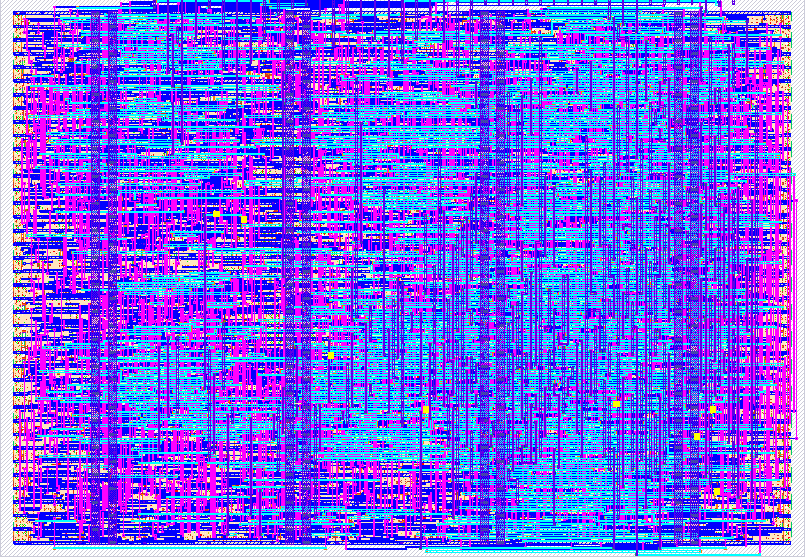
- Author: electron65
- Description: VGA clock
- GitHub repository
- Open in 3D viewer
- Open in Tiny Tapeout Explorer
- Open in VGA Playground
- Clock: 25000000 Hz
How it works
This project is inspired from a analog clock from linux.
A VGA clock display implemented in Verilog for Tiny Tapeout demoscene.
The design renders a circular analog clock face at 640×480 resolution. The background color changes based on the current hour:
| Period | Time Range | Background Color |
|---|---|---|
| Night | 00:00 ~ 05:59 | Dark navy |
| Morning | 06:00 ~ 11:59 | Bright sky blue |
| Daytime | 12:00 ~ 17:59 | Light sky blue |
| Evening | 18:00 ~ 23:59 | Sunset orange |
A sun appears during morning and daytime, and a moon appears during evening and night. Both move across the sky in an arc according to the current hour. The clock face has hour and minute markers, and three hands for hours, minutes, and seconds.
<img width="660" height="516" alt="image" src="https://github.com/user-attachments/assets/d2815694-c233-44a9-bb5f-411908e2a7ae" />
Night
<img width="670" height="509" alt="image" src="https://github.com/user-attachments/assets/61dc92d9-8d26-423e-9745-2993ff123806" />
Morning
<img width="667" height="512" alt="image" src="https://github.com/user-attachments/assets/e1f03b34-7b61-4073-b21f-7957b879666e" />
Daytime
<img width="658" height="496" alt="image" src="https://github.com/user-attachments/assets/66857fdb-abab-4fcd-8c97-f436cd0347a5" />
Evening
<img width="119" height="108" alt="image" src="https://github.com/user-attachments/assets/bdd4147a-72b8-4092-be3b-e9ec841ed3b9" />
From top to bottom is hour, minute and seconds adjustment indicator.
<img width="136" height="108" alt="image" src="https://github.com/user-attachments/assets/2179bb9b-34b8-4cc4-9233-fc4375b41064" />
The Box on the lower right lets the user know the clock is in set up mode.
<img width="173" height="138" alt="image" src="https://github.com/user-attachments/assets/19bbe36c-d4c5-4080-a595-86273b413ecc" />
This is the SUN.
<img width="102" height="113" alt="image" src="https://github.com/user-attachments/assets/d1254a20-470d-4ff9-8714-d2e25d91a751" />
This is the MOON.
How to test
Connect a VGA monitor to the output pins. Power on the design and the clock will start running from 00:00:00.
To adjust the time, connect a Gamepad PMOD to the input pins. Press Start to enter time adjustment mode. Use Up/Down to increment or decrement the selected field. Press Select to cycle between hour, minute, and second adjustment. Press Start again to exit adjustment mode.
<img width="742" height="122" alt="image" src="https://github.com/user-attachments/assets/3966c2bd-14b4-44a3-84d9-ecbb02daa7ef" />
If you are using Tinytapeout VGA Playground use the PMOD to set time.
<img width="505" height="56" alt="image" src="https://github.com/user-attachments/assets/e9e2a594-78be-477a-adea-e8f360df3180" />
Here above in the keys, While pressing the "Start" button and letting go of the mouse you will enter Clock setup mode.
You can toggle between Hour, Minute and Seconds using the "Sel" Button.
<img width="100" height="80" alt="image" src="https://github.com/user-attachments/assets/542b7c09-4563-4ae4-9292-a07a574b186f" />
By default in setup mode, the clock is adjustable in seconds.
<img width="121" height="85" alt="image" src="https://github.com/user-attachments/assets/a7005954-dc15-4384-9627-edfadca4eb1c" />
This is minutes.
<img width="104" height="89" alt="image" src="https://github.com/user-attachments/assets/b0d85fce-0d81-475a-9868-4feeab6aa4d7" />
Lastly this is Hours.
Here is the link to test it out.
External hardware
- VGA monitor
- Gamepad PMOD
External Links
About the concept of clockywock
Visit my Website for more detail about the project. [TBD]
Add me on Linkedin!
IO
| # | Input | Output | Bidirectional |
|---|---|---|---|
| 0 | R1 | ||
| 1 | G1 | ||
| 2 | B1 | ||
| 3 | VSYNC | ||
| 4 | pmod_latch | R0 | |
| 5 | pmod_clk | G0 | |
| 6 | pmod_data | B0 | |
| 7 | HSYNC |