47 Mrudul and Wahhaj Demoscene F2025
47 : Mrudul and Wahhaj Demoscene F2025
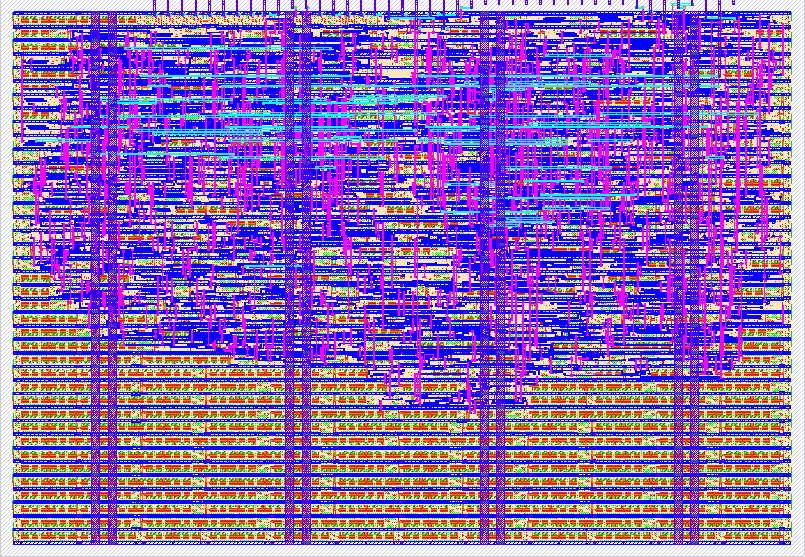
- Author: Mrudul Suresh, Wahhaj Khan
- Description: A cool Bad Time Sans Fight scene while representing UWaterloo with UW as the heart and a Goose as Sans.
- GitHub repository
- Open in 3D viewer
- Open in Tiny Tapeout Explorer
- Open in VGA Playground
- Clock: 25000000 Hz
298A Mrudul Suresh and Wahhaj Khan Documentation
Introduction ~ Mrudul and Wahhaj
Our names are Mrudul Suresh and Wahhaj Khan and we are 2B Computer Engineering students! We decided to partake in ECE 298A because we thought it to be a fun alternative to 298 and we definitely stand by our decision. We are complete beginners to anything Verilog and really don’t know a whole lot about hardware, so this course definitely helped us learn a lot!
What our project is
We decided to do a demoscene project because we found it very fascinating that you could have a self-contained computer program that produces a real-time audio-visual presentation. We initially thought about a bunch of ideas like abstract animations or games like flappy bird, but we ended up deciding on a visual of the Sans Bad Time Fight simulator. We chose this because there’s a lot of opportunity for scalability, and it's easy to start small and keep expanding based on time, chip space etc. (and because it's fun)! Check out this link for the free to play game on your browser: https://jcw87.github.io/c2-sans-fight/.
We’ve visualized the absolute first level of the game, which is the heart (the character that you play as) dodging rapid paced obstacles (pillars in this case). In order to put a UWaterloo twist on it, we decided to change Sans to be a goose (we all know how frightening the geese on campus are) and change the heart that we play as to “UW” (go Waterloo)!. There is input control to control the speed of the animation as well as direction of the animation using registers. Overall, a visually cool looking animation.
Steps taken to build the animation
We didn’t have the UW-ASIC simulator for a majority of the course and so we used an online browser resource called VGA-Playground (link here: https://vga-playground.com/) which allows you to visualize your animations written in Verilog instantly and smoothly. This is the environment in which all of our development occurred.
Verilog is a standard HDL (Hardware Description Language) that is used to model, design, and simulate electronic systems, especially digital circuits. So in this case, we’re not writing software, but rather describing digital circuits. Our clock speed is set to 25mHz and this is because the standard vga clock speed is 25.175 MHz. So this means that the system processes 25 million different pixel positions every second.
How it was built
If you’re looking to be technical, please take a look at the code. It is very well commented and described. If you’d like a more wordy summary of how our project is built, take a look at the following:
At the top level, the module tt_um_immrudul_w7khan ties the entire VGA animation system together. It handles Tiny Tapeout I/O, drives the VGA PMOD pins, and instantiates the hvsync_generator, which produces the horizontal and vertical sync pulses required by VGA along with pixel coordinates (pix_x, pix_y) for all 640×480 visible pixels. Internally, this module uses counters that sweep through all 800×525 timing cycles per frame and indicates when the monitor is in the visible drawing region.
Animation logic runs once per frame on each rising edge of vsync. User inputs control scrolling speed and direction, and the design computes an x_offset used to shift the waveform horizontally. This offset wraps around using modulo arithmetic so the wave scrolls infinitely in a loop.
The actual sine wave rendering is split across two modules. create_game_scene defines the rectangular area in which the waves should appear, while double_sin determines whether each pixel should be part of the top or bottom sine wave. It selects one of ten precomputed sine samples from a small lookup table and builds the wave by drawing only a thin portion of each bar to create a dotted “sparkline” effect. The result is clipped to the wave’s bounding region so only the intended area is drawn.
The “UW” character is generated procedurally using geometric comparisons—no sprite memory is needed. The player module instantiates three copies of U_shape and positions them so that two form a stylized “W.” The vertical position of the entire UW sprite is driven by the sine wave’s height at a fixed x-coordinate, making the letters appear to “ride” the wave. Each U is defined by a set of simple coordinate ranges forming its legs and curved bottom.
A static goose-themed design appears at the top of the screen using the static_top_line module. To save area, only half of the 14-column pattern is stored, and the other half is mirrored. Each bit expands into an 8×8 pixel block. The module translates global pixel coordinates into local row/column indices and outputs 1 when that position corresponds to a white goose pixel.
The top-level module then blends together all drawing signals during the visible portion of the VGA frame. The sine waves and goose banner are displayed in white, while the UW sprite is highlighted in red. Everything else remains black.
How we tested (what tests + results)
As this is a demoscene, most of the testing was done visually. However, we also ran unit tests on five of our submodules:
The first test, test_static_top_line, targets the static_top_line module responsible for mirroring the goose image and displaying it (we only store half of the image on the chip to save space). The unit test iterates through all the pixels output by the module and compares them against a full bitmap of the goose. This ensures that every pixel is mirrored and displayed correctly.
The second test, test_player, checks whether the “UW” is displayed correctly by the player module. The logo consists of three U-shaped characters: U UU. The unit test, similar to the previous one, loops through all the pixels and ensures each U is spaced and rendered correctly by comparing the output to a full bitmap of the U.
The third test, test_U_shape, simply checks whether the U_shape module that displays the U does so correctly by comparing its output to a reference bitmap, much like the previous test.
The fourth test, test_double_sin, checks the double_sin module which handles the main double wave in the middle of the demo scene. It runs pixel-by-pixel, performing a similar calculation to the module under test. The goal here is mainly to catch overflows or other errors in the Verilog code, not to verify the wave-rendering logic itself. For speed, the waveform is moved 20 pixels per frame during the test (increasing by just 1 pixel per frame was too slow).
The last test, test_sine_lut, runs through the sin_lut, simply verifying that all output values match the predefined table.
Each of these test cases pass successfully.
Another important part of the testing was using UW-ASIC’s emulator. Towards the end of the course, we were given the repo of where the UW-ASIC VGA emulator lives and we were able to replace the dino game with our vga animation and it works. There are no errors and everything runs very smoothly! We added our project.v and renamed the .v file, modified top_dino.v, and commented out the hvsync_generator.v file to ensure we don’t define it twice (since we already have it in our project.v).
How to use our project
Using our project is very simple. Since right now our project is in our Tiny Tapeout repository, you can’t exactly run it directly and see the animation, so there are 2 options:
Option 1 (easiest, recommended):
Head into our repository, navigate to src, and then project.v. Or here is the link to that file directly: https://github.com/Immrudul/298a-mrudul-wahhaj/blob/main/src/project.v)
Copy the entire file and head to https://vga-playground.com/. Paste in the entire copied project.v file and replace the top module name. Change the name from tt_um_immrudul_w7khan to tt_um_vga_example. That’s it! You should now see our animation working.
You can control the speed of the animation using the first 4 input registers (0 : 3). The binary combination of those 4 registers indicates the speed with decimal 0 being the minimum and decimal 15 being the fastest
You can control the direction of the animation using the fifth register (reg 4). 0 means the uw goes from left to right and 1 means the UW goes from right to left.
Option 2 (if you have the UW-ASIC emulator)
- Open the UW-ASIC emulator
- navigate to /src
- comment out the hvsync_generator.v file
- add a new file called “tt_um_immrudul_w7khan.v” in src
- Paste in the project.v from our github
- Add
/* verilator lint_off WIDTH */to the top of the page and/* verilator lint_on WIDTH */to the bottom
- navigate to /vga_sim
- Modify top_dino.v to change the top instance from tt_um_uwasic_dinogame to be tt_um_immrudul_w7khan
- Enter your Linux environment
- Run:
- make
- ./obj_dir/dino Enjoy!
Future Improvements
- Memory Optimization:
One major problem that we faced was memory optimization. Initially, we implemented too many things at once and when it came time to create the gds, we didn’t have enough space on the chip. Some changes we had to make
- Remove an initial bounding box animation
- Modifying the Goose Sans
- Smaller changes
There are a lot of memory optimizations that can be made and this would mean that we’d be able to fit more features in, such as ones that we’ll discuss now
-
Music
- There is a very identifiable and signature audio that goes with the sans undertale song and implementing that would be a very fun next steps
-
Turning this into a playable game
-
Adding hand animations for Goose Sans like in the actual game
-
Using the available inputs to implement more features such as, volume, colour palettes etc -Doing smarter arithmetic so that we have no warnings
Our Pinout
Used: Inputs [4:0] ui[0]: SPEED_BIT0 ui[1]: SPEED_BIT1 ui[2]: SPEED_BIT2 ui[3]: SPEED_BIT3 ui[4]: DIRECTION
Outputs [7:0] uo[7]: HSYNC uo[6]: B0 uo[5]: G0 uo[4]: R0 uo[3]: VSYNC uo[2]: B1 uo[1]: G1 uo[0]: R1
Clock frequency: 25mHz
Our timeline
Below is a week by week breakdown of what we achieved and what we worked on.
- Oct 12 - 19: Reading week
- Oct 19 - 26: Creating the sine waves for the pillars
- Oct 26 - Nov 2: Animating the movement, looping the sine waves smoothly
- Nov 2 - Nov 9: Implementing the UW character and Sans Goose, making things look better
- Nov 9 - Nov 16: Creating gds, memory optimization
- Nov 16 - 23: Testing using CocoTB, testing on UW-ASIC emulator
- Nov 23 - Nov 30: Code cleanup, code commenting, documentation
- Nov 30 - Dec 7: Done and present!
Conclusion
Overall, this was a very enjoyable course and project, it was a great learning experience, and we’d love to iterate and implement more features in the future. Super excited for the tapeout!
IO
| # | Input | Output | Bidirectional |
|---|---|---|---|
| 0 | SPEED_BIT0 | R1 | |
| 1 | SPEED_BIT1 | G1 | |
| 2 | SPEED_BIT2 | B1 | |
| 3 | SPEED_BIT3 | VSYNC | |
| 4 | DIRECTION | R0 | |
| 5 | G0 | ||
| 6 | B0 | ||
| 7 | HSYNC |